Category / Photography / Resources / Video / Working
-
![lighting]()
A Guide to Video Production Lighting Types
Read Time: 2 minutesQuick Summary Key Light: Main light that highlights the subject. Fill Light: Softens shadows created by the key light. Back Light (Rim Light): Adds depth and separates subject from background. Background Light: Illuminates the set or background. Practical Light: Visible in the scene, like lamps or candles. Bounce Light: Indirect light reflected off a surface.…
-
![]()
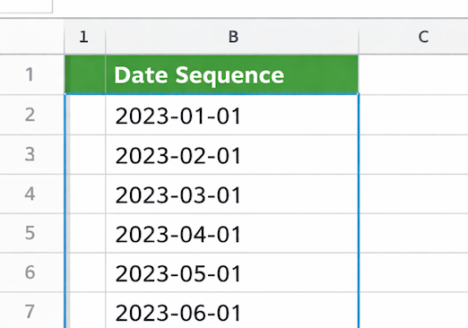
Easily Create Date Sequences with This FREE Tool
Read Time: < 1 minuteIf you spend time working with dates in forms spreadsheets or planning documents then having an easy way to generate a list of dates can save you a lot of effort. The Generate Date Sequence tool from Online Tools lets you create a list of calendar dates that follow a pattern you define all in…
-
![]()
Why Professional Photography Tops AI Headshot Apps
Read Time: 2 minutesI’m feeling insecure because of AI. I’ve looked into numerous apps, fearful of uploading my image, and have even taken a few shots using Adobe’s AI. There’s been a flood of AI-powered headshot apps promising to deliver “studio-quality” portraits in minutes. With just a few selfies and a credit card, these apps promise LinkedIn-ready headshots…
-
![tiktok]()
A/B Test on TikTok, Win on Instagram: A Smart Strategy to Grow Your Audience
Read Time: 2 minutesUnderstanding what content resonates can be the difference between stagnation and exponential growth. A clever strategy that’s gaining traction among content creators and marketers is this: A/B test content on TikTok first, then repost the winners to Instagram. This approach not only saves time and energy, but it leverages TikTok’s viral-friendly algorithm to refine your…
-
![event espresso]()
How to Set Up WP Engine Hosting for Event Espresso
Read Time: 3 minutesWhen you’re hosting events — from small workshops to large conferences — your website needs to be fast, secure, and reliable. That’s where WP Engine comes in. Combined with Event Espresso, one of the best event registration plugins for WordPress, you can create a smooth booking experience for your attendees. This guide will walk you…
-
![revisions]()
WordPress Revisions: Control, Limit, and Clean Up Your Posts
Read Time: 2 minutesIf you’ve spent any time editing content in WordPress, you’ve likely noticed the “Revisions” section under your posts or pages. WordPress automatically saves each change you make, which can be a lifesaver. However, over time, these revisions can clutter your database and impact site performance. Let’s dive into how you can enable, disable, limit, and…
-
![senior]()
The Best Days, Times, and Frequency to Send Marketing Emails for Senior Living Communities: A Complete Guide
Read Time: 2 minutesMarketing to seniors and their families requires a thoughtful approach, especially when it comes to email communication. The right timing, frequency, and content can make the difference between a connection and a missed opportunity. In this guide, we’ll break down the best practices for when and how often to send marketing emails for senior living…
-
![spam]()
How to Block IP Addresses and Stop Spam Form Fills in WordPress
Read Time: 2 minutesSpam form fills are a major annoyance for WordPress site owners. They clutter your (or your client’s) inbox, waste your time, and in some cases, can even pose security risks. Fortunately, WordPress offers several ways to block spammy IP addresses and prevent future attacks. Here’s a straightforward guide to cleaning up your site and keeping…
-
![fire alarm]()
Fire Alarms and Team Dynamics: What Your Reaction Reveals About You
Read Time: 2 minutesNot that long ago we had a false fire alarm go off in our building. Before we learned it was a malfunction, our company exited the building. Everybody was safe, including our neighbors. I thought about how everyone in our company reacted when the alarm went off. When a fire alarm goes off in a…
-
![mailto]()
How to Set the Subject and Content of an Email Using mailto: in Code
Read Time: 2 minutesWhen creating websites or applications, it’s often useful to enable users to send emails directly from the interface. The mailto: protocol is a simple way to create a clickable link that opens a user’s default email client with a pre-defined subject, body content, and more. This is a convenient and straightforward method to guide the…